Can you play BE A FISH BAIT on mobile?
Yes. BE A FISH BAIT mobile is supported on iOS and Android through the Roblox app with the updated AURA MAXXING HUD.
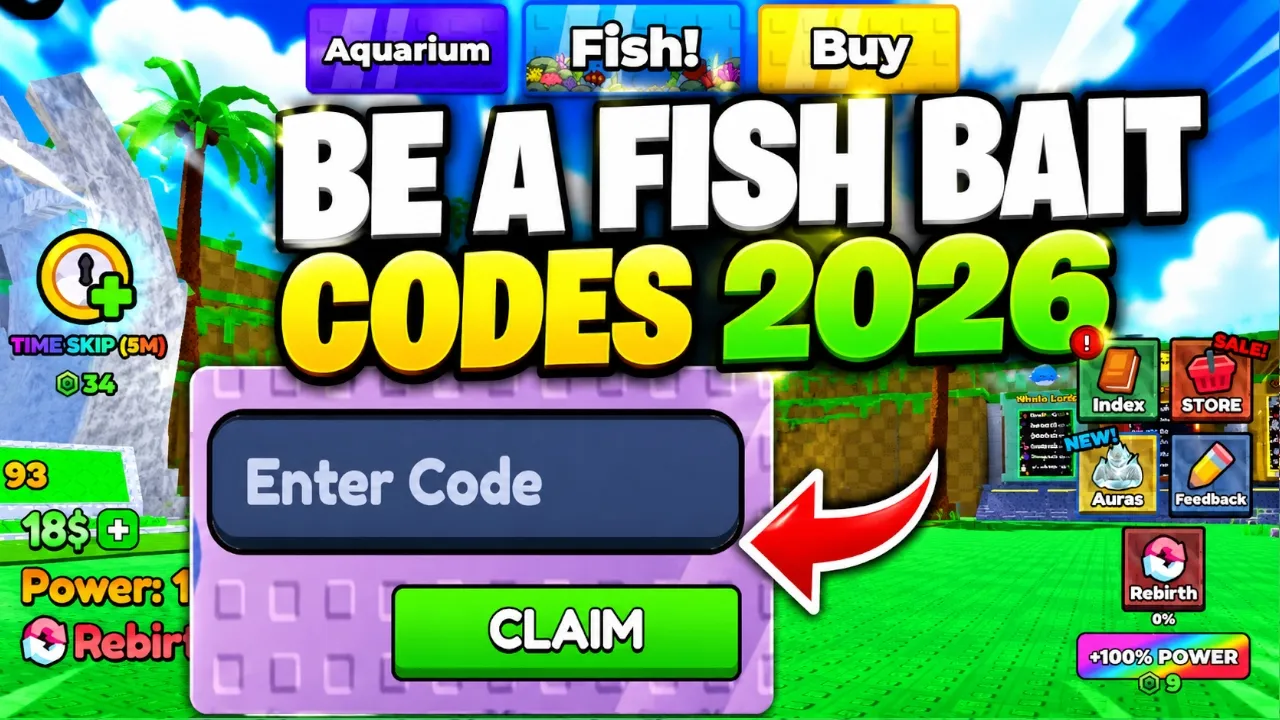
BE A FISH BAIT mobile guide — updated HUD, Store button, touch minigames, and how to redeem codes on phone. Scroll the shop when Code tab sits below bundles.
Follow BE A FISH BAIT mobile Store layout for codes and HUD buttons on phone.
BE A FISH BAIT mobile support improved with the AURA MAXXING update — VoidDeckStudios lists a better mobile HUD and touch-friendly Store layout on the Roblox page.
This BE A FISH BAIT mobile guide covers HUD button placement, touch minigames, code redemption on phone and tablet, and performance tips for long grind sessions.
THE ONLY FISHING GAME WHERE YOU ARE THE BAIT. Mobile BE A FISH BAIT controls mirror PC logic: train, launch as bait, complete catch prompts, stock the aquarium.
Desktop players can skip to BE A FISH BAIT controls for keyboard and mouse detail. Redeem BE A FISH BAIT codes before your first mobile session.
After AURA MAXXING, the BE A FISH BAIT mobile HUD places primary buttons on the right edge — matching PC placement so cross-platform muscle memory transfers.
Store opens the shop overlay for codes, bundles, and timers. Launch and training shortcuts sit near movement controls without blocking the ocean view.
If a button disappears after rotation, close overlays (Store, daily rewards) and re-enter the world. Cached HUD glitches are common on older phones after long sessions.
Landscape mode gives wider tap targets for bite minigames. Portrait works for training and aquarium management but feels tight during drag fights.
| HUD element | Label | Mobile location |
|---|---|---|
| Store | 🛒 | Right edge — same as PC BE A FISH BAIT layout |
| Code tab | 🎫 | Inside Store · scroll down on small screens |
| Launch bait | 🚀 | Water edge prompt · large tap target |
| Inventory | 📦 | Post-catch menu · Equip Best button |
| Daily rewards | 🎁 | Popup on login after AURA MAXXING |
Movement uses the standard Roblox mobile joystick on the left. BE A FISH BAIT mobile does not require manual swimming after launch — focus on minigame taps instead.
Training power uses repeated taps or hold-to-click when auto-clicker unlocks. VIP training zone uses identical BE A FISH BAIT mobile inputs with a passive 1.5x multiplier.
Pinch-to-zoom camera where Roblox allows — useful before launch to line up perfect throw bonuses when the UI shows timing rings.
Disable iOS/Android gesture navigation if edge swipes accidentally minimize Roblox during intense minigames.
BE A FISH BAIT mobile code redemption uses the same Store → Code → Claim flow as PC:
1. Launch BE A FISH BAIT in Roblox.
2. Press the Store button on the right side of the screen.
3. Open the Code tab (or scroll to the codes section in the shop window).
4. Type the code exactly as shown and press Claim.
On small screens the Code tab may sit below paid bundles — scroll the Exclusive Shop window before assuming the BE A FISH BAIT mobile UI is broken.
Copy codes from the active codes table and paste into the field. Mobile keyboards respect case — BAITAURA and 4000LIKES must stay uppercase.
Full troubleshooting on the redeem guide mobile section.
Catch fights on BE A FISH BAIT mobile use full-screen tap and drag prompts. Boss-scale fish need faster reactions than on mouse — practice in Legend or Mythic zones first.
Drag bars expect a finger held on the slider — partial drags fail more often on small screens. Landscape orientation adds horizontal space for drag tracks.
Jackpot bonus chains need three quick taps when icons flash — mute background music if it helps you hear the bonus cue timing.
If taps stop registering, lower Roblox graphics and close background apps. Frame stutter breaks BE A FISH BAIT mobile minigame windows.
Long BE A FISH BAIT mobile sessions heat phones and drop FPS — bad for minigame timing. Take breaks during training auto-clicker grinds.
Set Roblox graphics to automatic or lower in the app settings. BE A FISH BAIT mobile income grinding does not need maximum render distance.
Wi-Fi stability matters less for solo grinding but rejoin if Store → Claim hangs — lag can fail code redemption on BE A FISH BAIT mobile.
Update the Roblox app after patch days — HUD fixes ship in client updates as well as game patches.
| Issue | Tag | Fix |
|---|---|---|
| Missed drag prompts | 🎯 | Landscape · lower graphics · external fan |
| Code tab missing | 📜 | Scroll Store · restart app |
| HUD overlap | 🖥️ | Close popups · rejoin server |
| Input lag | ⏱️ | Close background apps · use Wi-Fi |
Console players use gamepad — not touch — but share the same post-AURA MAXXING HUD refresh. See BE A FISH BAIT controls for gamepad mapping.
Some players use phone for code lookup while playing on console — paste from our codes page on a second device.
Yes. BE A FISH BAIT mobile is supported on iOS and Android through the Roblox app with the updated AURA MAXXING HUD.
Right edge of the screen — same as PC. Open Code inside Store for BE A FISH BAIT codes.
Scroll the shop window. The Code tab sits below other rows on small BE A FISH BAIT mobile screens.
Same HUD layout and loop — touch replaces mouse clicks. Minigames are harder on small screens; use landscape.
Yes. Aura reroll menus work on touch after AURA MAXXING. Use Rerolls from codes like on PC.
No. BE A FISH BAIT mobile is VoidDeckStudios' bait sim — different game, different touch layout from Fisch.
Matched by build plan, shared topics, and guide progression — not random related links.